Most people planning a new bathroom know what they want when they see it. Describing it is another matter, and piecing a look together from showroom displays, magazine pages, and saved social posts can take months. AI tools can shorten that process dramatically, bringing your dream bathroom to life much faster.
This guide explains how AI bathroom design works and provides tried-and-tested prompts to create your bathroom with AI. Better still, we'll show you how our team can take those visualisations and transmute them into reality, using genuine products within your budget range to cultivate the bathroom sanctuary you've been itching to build.
- Can AI Design My Bathroom?
- Why Should I Use AI to Design My Bathroom?
- The Best AI Tools for Bathroom Design
- How to Write a Bathroom Design Prompt: The 7-Part Formula
- How to Use AI to Write the Prompt
- How to Use AI to Redesign Your Own Bathroom From a Photo
- How to Add Real Products to Your AI Bathroom Design
- How to Improve Image Results
- From AI Image to Real Bathroom: How We Can Help
Can AI Design My Bathroom?
Partly. AI can create realistic concept images of a bathroom's style, colours, materials, and general layout. What it can't do is check whether that design will actually work in your room. That part still requires human expertise.
Think of an AI tool as a very efficient illustrator with a vast number of references to draw upon. It has learnt from millions upon millions of existing images and can produce something similar in seconds. While AI can churn out a pretty representation of, say, an Art Deco bathroom or a coastal-style bathroom with ease, it isn't drawing your room. Even if you provide precise measurements, it will still treat them loosely. It has no idea where your pipes, joists, or soil stack are, and it can't confirm that a layout meets the necessary installation and safety requirements.
Why Should I Use AI to Design My Bathroom?
So why bother with AI? Well, a picture goes a long way. One of the biggest benefits is being able to see your bathroom before you spend anything on it. A bathroom renovation is a big investment, and it's hard to picture how brushed brass taps will look against sage tiles, or whether a double vanity unit will make a room look cramped. AI is also great for generating new ideas. You can test out new styles you wouldn't have considered otherwise, unlocking potential you might never have known your bathroom possessed. With AI, you can try endless combinations at little or no cost, quickly ruling out ideas that don't work.
The best reason to use AI, however, is to generate images that show bathroom designers and retailers exactly what you want. After all, images will describe your desired look far better than words alone. To sum it up best: use AI to figure out what you like, and an expert designer to figure out what's possible.
The Best AI Tools for Bathroom Design
You don't need specialist software to get started; AI tools are readily available online, and most offer free versions. However, with these free versions, you’ll usually be limited to a set number of requests, and you may not have access to all features or the latest model for the best results.
If you’re completely new to AI, fear not. It’s understandable to be wary or to feel out of the loop in AI's fast-paced environment, but many AI tools are just simple chatbots. Chatbots let you describe what you want as a prompt, upload photos, search the internet, and refine the results in the same conversation.
It also helps to know what's going on behind the scenes. Chatbots such as ChatGPT, Gemini, and Copilot are built on large language models (LLMs), which are trained to understand and generate language rather than to measure or plan a room. When you ask for an image, they work alongside an image generation model to create their best impression of your description. But remember, the result is always illustrative, not an exact replica of your room or of any specific product. It's best treated as a guide to the look you're after.
Alternative tools come in the form of dedicated image generators, such as Midjourney and Adobe Firefly. While these give you more creative control and more detailed results, they take a little longer to learn, respond best to descriptive phrases rather than conversational requests, can be more costly, and they don't ask you follow-up questions. Thus, these are best saved for when you've really got the hang of prompting.
Speaking of which, the prompt is really where the magic happens. You’ve probably heard many people talk about a prompt, but what actually is it?
A prompt is the message you type into an AI tool to tell it what you want it to do. It's a written instruction that the AI turns into an answer. No code or technical language is involved; you just explain in plain English as you would to another person.
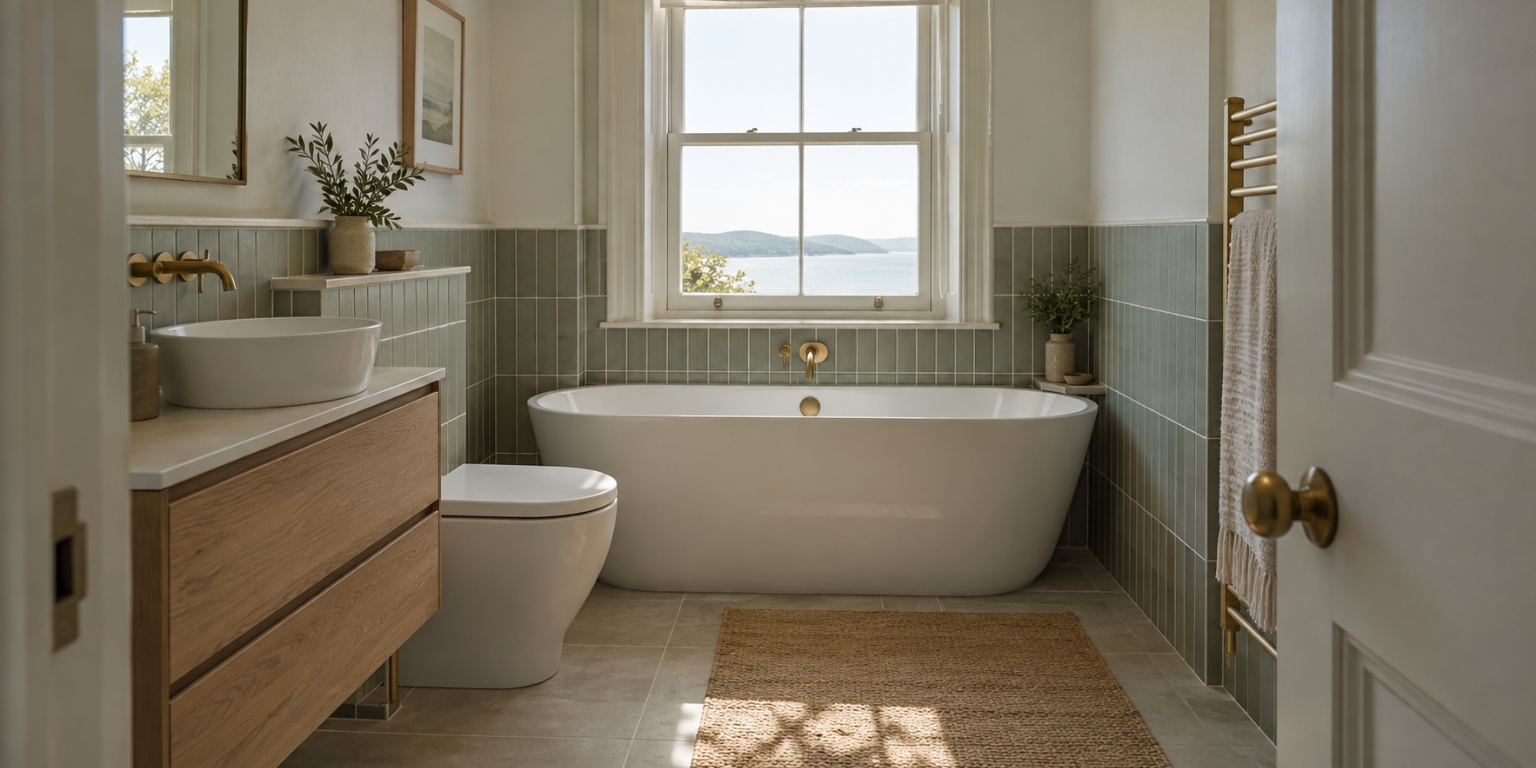
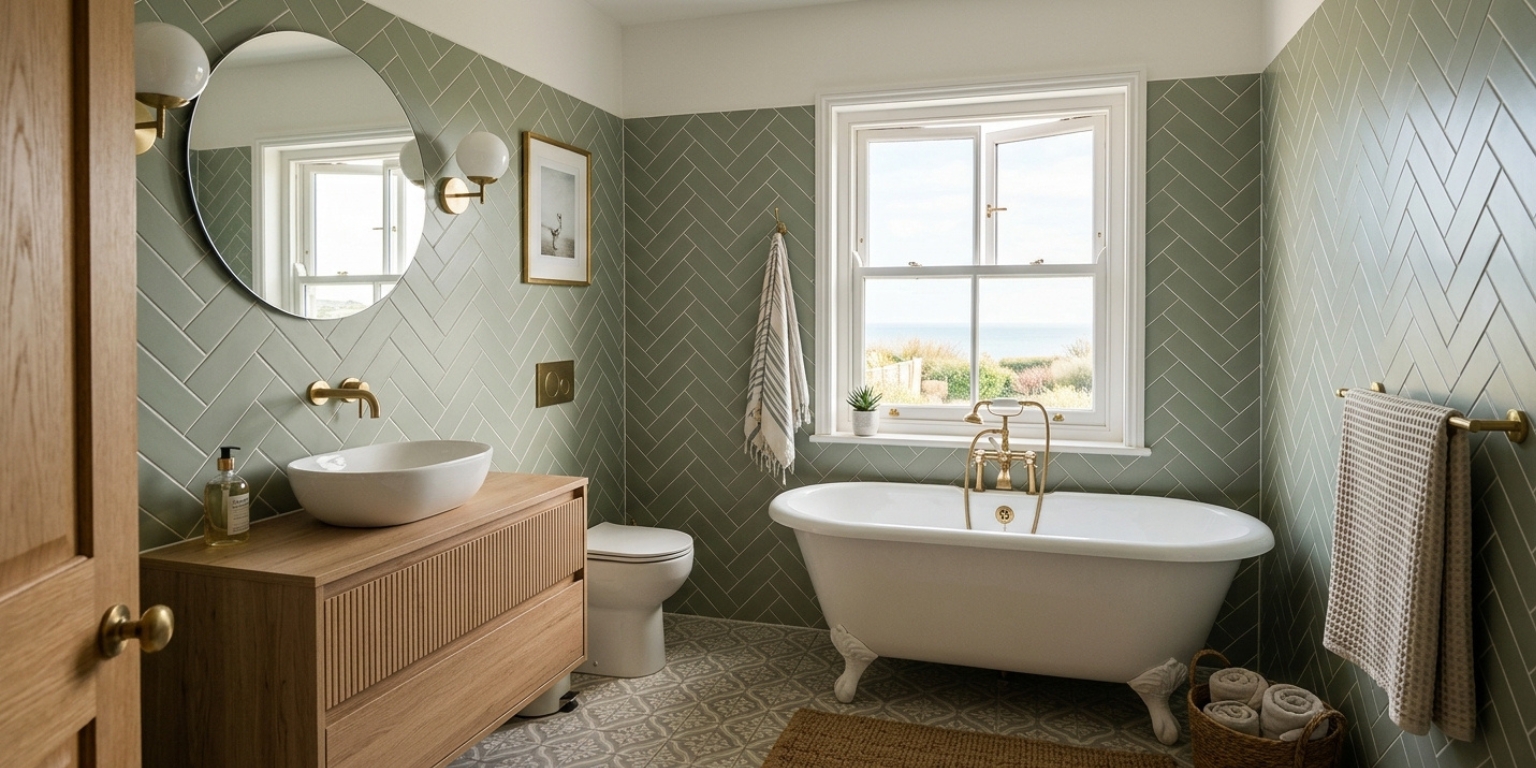
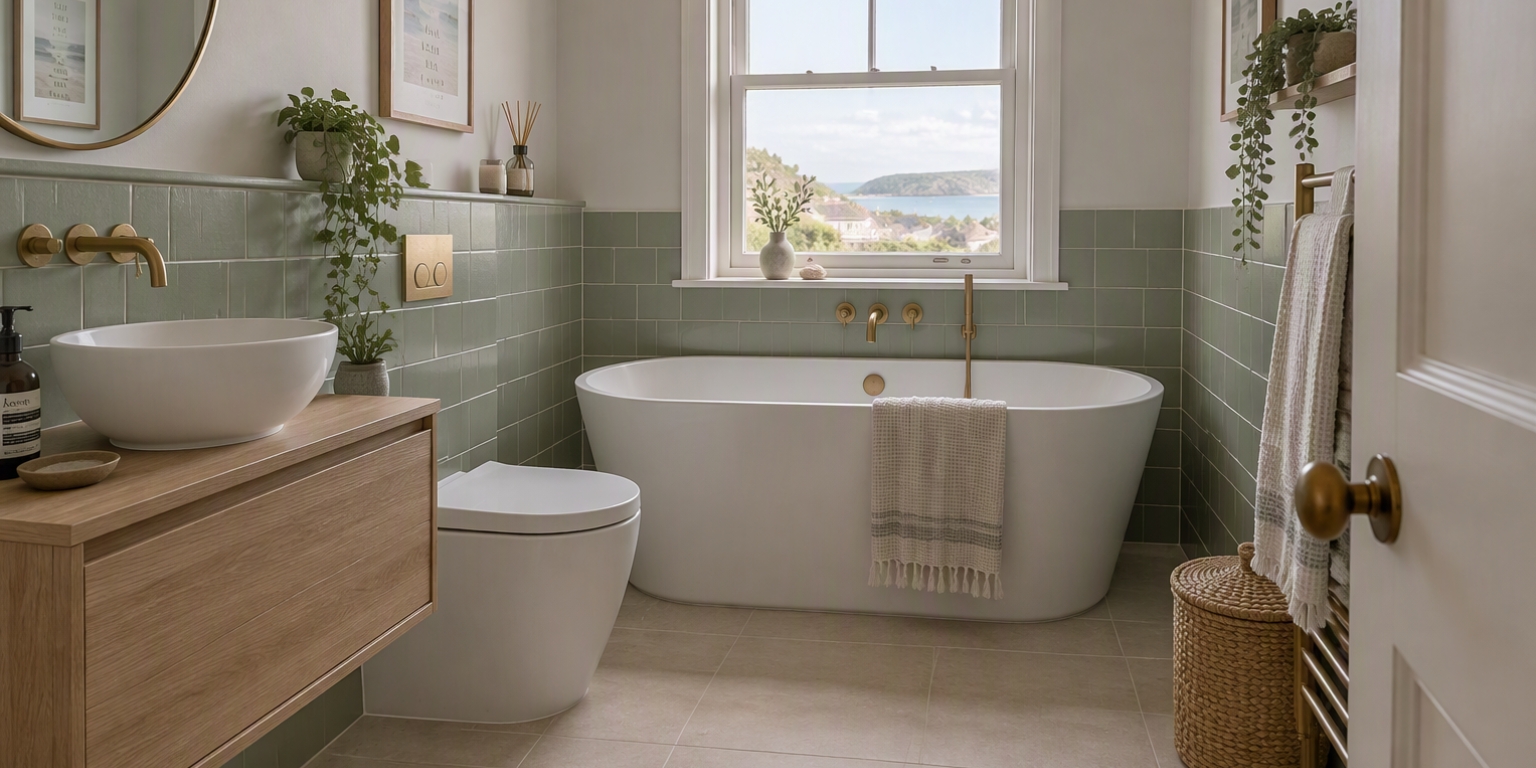
You’ll be pleased to hear that this guide will be focusing solely on using chatbots, as these are the most user-friendly options and really all we need for our task. We’ll look at the three most popular and readily available options - ChatGPT, Google Gemini, and Microsoft Copilot - and enter the same bathroom design prompt for each. We’ll then compare the results to give you an idea of which chatbot is right for you.
ChatGPT
Probably the most well-known of AI tools, ChatGPT is a strong all-rounder that follows detailed instructions closely. This makes it well-suited to creating imaginary bathroom designs and editing them, as well as redesigning photos of your existing bathroom, which we'll touch on later in the guide. You can refine images one change at a time in a single chat, or simply edit one specific area like your tiles or taps. Free image creation is limited on a daily basis, while paid plans allow more expansive access. OpenAI doesn't publish any fixed numbers regarding free image creation, but you can generally expect to generate 2 to 3 images per day, and ChatGPT will tell you when you've reached your limit and when you can start again.
Google Gemini
Gemini is especially good at working from photos you've uploaded. You can effortlessly add a picture of your current bathroom along with images of any products you like, such as baths or shower fittings, and ask it to combine them into one design. That makes it a good choice for seeing real products in your own room. Like ChatGPT, it's free to use with no specified fixed number of free images, but paid plans are available once more. Your free limit depends on how complex your requests are and how often you use Gemini, and it refreshes every few hours.
Microsoft Copilot
Copilot is a convenient choice if you use Windows or Microsoft 365, as it's built into the apps you already have. If you have a Microsoft 365 subscription, the Create section also lets you choose a photorealistic style and your preferred image shape, as well as adjust the result with simple editing tools such as cropping. Again, it's free to use, although Microsoft says limits can vary depending on where you are and how busy the service is.
Which AI Tool Creates the Best Bathroom Images?
All three of the AI tools we’ve covered create realistic bathroom images, and the gap between them is smaller than you might expect. In independent blind tests, where people compare images without knowing which model made them, OpenAI's image models, the technology behind ChatGPT, currently rank highest. Even so, the Google and Microsoft models aren't far behind.
In practice, the results you get will depend more on your prompt and which plan you're on than on the tool itself. It's worth trying the same prompt in two or three tools to see which you prefer.
How to Write a Bathroom Design Prompt: The 7-Part Formula
In the context of this guide, your prompt will purely be a description of what you’d like to see. When you provide it, the AI will return an image that best matches that description.
A vague prompt such as "a nice modern bathroom" gives you a generic, oversized room that probably looks nothing like anything you'd find in a typical UK home. A good prompt spells out the room size, what goes where, the materials, and the lighting, so the result looks like a bathroom you could actually have. The more information you provide, the better the results. However, that doesn’t mean your prompt needs to be overly long. According to OpenAI, 1-3 clear sentences are enough to help ChatGPT understand what you’re looking for.
To write one successfully from scratch, follow this seven-part formula as closely as you can.
Part | What to include | Example |
|---|---|---|
1. Shot and position | Camera position, realism | “Photorealistic interior photograph, eye level from the doorway” |
2. Room | Room type, size, window and door position, ceiling height | "Small UK family bathroom, 2.0m x 2.5m, sash window on the back wall, standard 2.4m ceiling" |
3. Style | One clear interior design style | “Coastal style” |
4. Fixtures and layout | What goes where | “Freestanding bath under the window, wall-hung vanity unit on the left with countertop basin, back-to-wall toilet to the right of the wall-hung vanity unit” |
5. Materials and finishes | Specific surfaces and brassware finishes | “Matt sage ceramic wall tiles, oak-effect vanity unit, brushed brass taps” |
6. Colour palette | Two or three colours | "Sage, warm white, and natural oak" |
7. Lighting and mood | Time of day, light quality, and atmosphere | “Soft morning daylight, calm and uncluttered” |
The first two parts matter more than most people expect. Asking for a photorealistic photograph prevents the AI from drifting into illustration, and giving real room dimensions stops it from inventing a bathroom the size of a hotel suite. The AI won't draw to exact measurements, but sizes give it a much clearer sense of scale, so the result looks more like the bathroom you actually have.
Here's the example formula put together as a single prompt. It works in ChatGPT as well as any of the other tools listed above:
"A photorealistic interior photograph, taken at eye level from the doorway, of a small coastal-style UK family bathroom measuring 2.0m x 2.5m, with a sash window on the back wall and a standard 2.4m ceiling. A freestanding bath sits under the window, with a wall-hung oak-effect vanity unit and countertop basin on the left, a back-to-wall toilet to its right, matt sage ceramic wall tiles and brushed brass taps. The palette is sage, warm white and natural oak, lit by soft morning daylight for a calm, uncluttered feel."
Use British Bathroom Terms and Accurate Sizes for Better Results
Most AI tools learn from a huge number of American prompts, so they may default to American terminology. Using British terms, such as 'tap' over 'faucet', and metres and millimetres over feet and inches, makes a noticeable difference, as does simply mentioning the word 'UK' in your prompt. A combination of all of this will help steer the AI in the right direction.
It also helps to give the AI a sense of scale. AI tools often make bathrooms look much bigger than they are and fill them with oversized baths and basins. Adding a few standard UK sizes to the end of your prompt keeps the fixtures in proportion with real products you can actually buy.
Standard UK sizes: 1700mm bath, 600mm basin, 900mm shower tray, 2.4m ceiling.
These are typical sizes, but many products come in other sizes too. If you know roughly what will fit your space, swap in your own numbers. For more information or help identifying sizes, several of our size and measuring guides cover the standard dimensions for many types of products, including UK bath sizes, shower tray sizes, and basin types and sizes.
How to Use AI to Write the Prompt
If you’re feeling a bit overwhelmed with the idea of writing the prompt from scratch, a clever trick is to get AI to write it instead. You can do this in several ways, but here are the two we recommend trying.
Let the AI Interview You
General chatbots such as ChatGPT and Gemini are good at asking questions and turning your answers into a well-structured prompt. Copy and paste the prompt below into a new conversation, answer each question as it comes, then use the generated prompt at the end to create your image.
“I'm planning a new bathroom in the UK and want to create an AI image of it. Ask me questions one at a time about my room size, window and door positions, style, fixtures and layout, materials and finishes, colours, and lighting. Then write a detailed, photorealistic image prompt using British bathroom terms and standard UK sizes. Make it 1-3 sentences.”
Work Backwards From an Image You Love
If you’ve spotted an image of a bathroom, real or AI-generated, such as a hotel bathroom you’ve visited or a room you've seen online, save a copy and ask the AI to describe what it sees. You can then build a prompt around your own room. Most major chatbots let you upload a photo and ask for changes in the same conversation.
Once you've found the image you want to use, save it to your device. Then either drag and drop the image into the chat or use the built-in tool for adding photos or files. The image can be in several formats, too: JPG, PNG, WebP, etc. Once the image is in the chat, simply copy and paste this prompt:
“Describe the style, materials, colours, and lighting in the attached bathroom photo. Then turn that description into a photorealistic image prompt for a [room size] UK bathroom. Make it 1-3 sentences.”
How to Use AI to Redesign Your Own Bathroom From a Photo
Designing a wild dream bathroom from scratch can certainly be exciting, but it still needs to conform to the realities of your space. Another useful technique, and one many will want to carry out, is to use your existing bathroom as a template. All three chatbots we've covered will let you perform this task. Here’s how to do it.
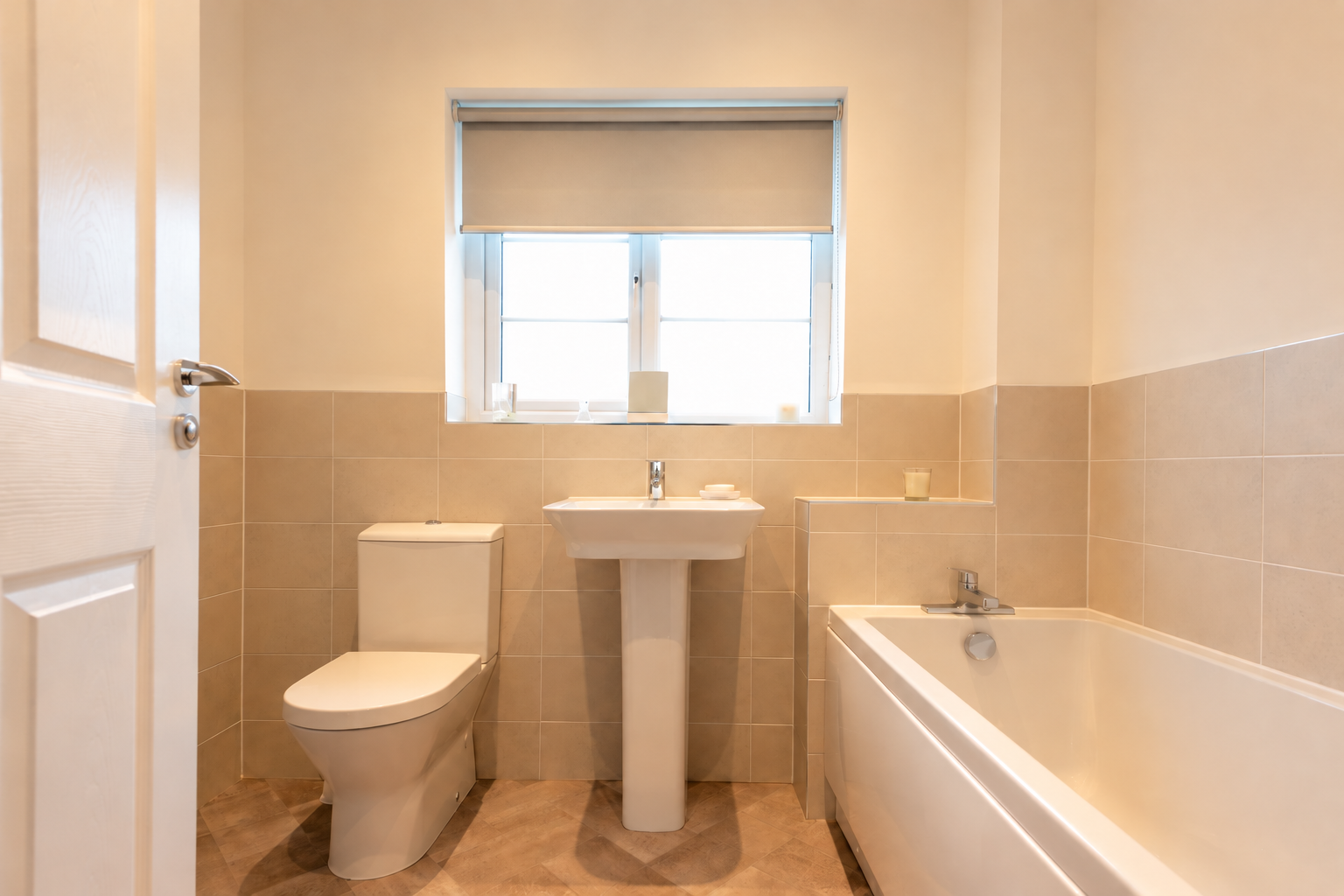
Take a Good Photo
First, get a picture of your bathroom. The better your photo, the better the result. Stand in the doorway and take the picture straight on, in daylight, with any clutter cleared away. Be sure to avoid ultra-wide or panoramic settings on your phone - they stretch the room, and the AI could build its new design on top of that distortion.
Two Prompts to Try
Next, let's run that image through a couple of prompts. The following two are the most common.
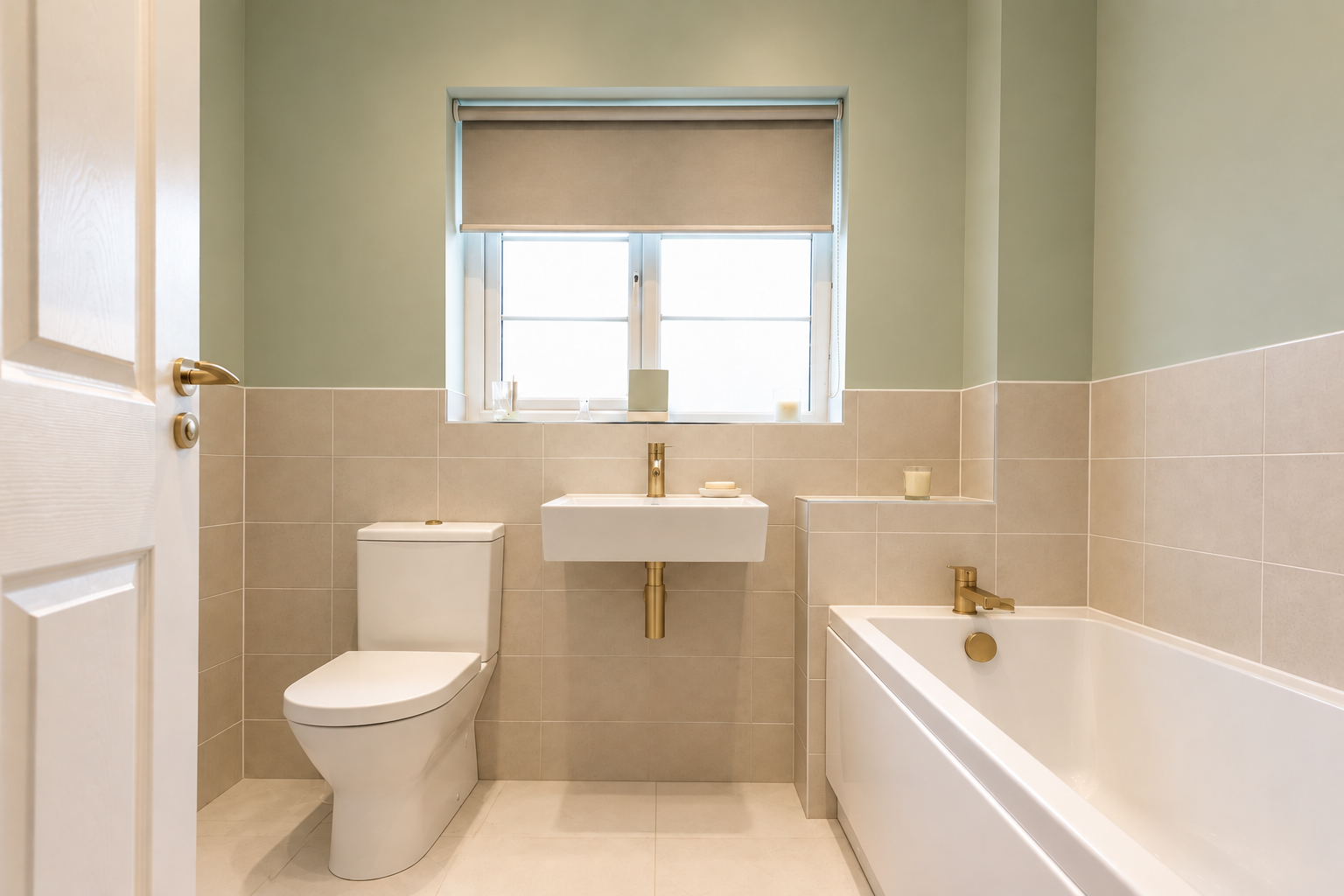
a) Swap Specific Features
If you're mostly happy with your bathroom's overall condition but want to try a few changes, such as a new basin, tile colour, or brassware finish, use this prompt to ensure that your updates stay realistic:
“Using the attached photo of my bathroom, keep the room shape, window, door, and toilet position exactly the same, but replace [current item] with [new item]. Change the walls to [tile or paint], the floor to [tile] and the taps and fittings to [finish]. Keep it photorealistic, at the same camera angle.”
b) Change the Entire Style
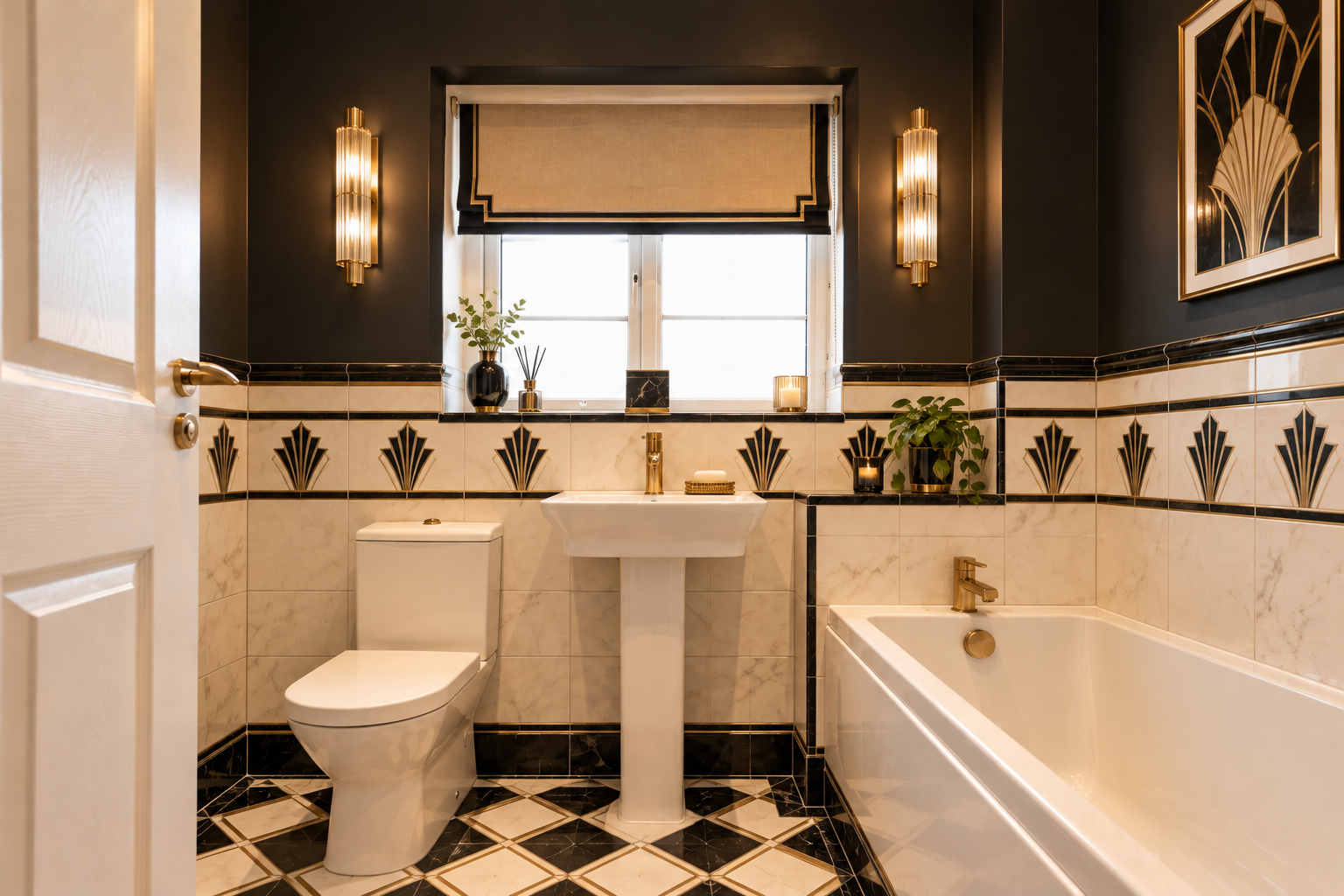
The second prompt is for when you want to see your bathroom with a completely new look. The layout stays exactly as it is, while the tiles, colour scheme, fittings, and lighting change around it. This helps you visualise how a particular style might feel in your own room rather than someone else’s. It’s also a quick way to compare a few different styles side by side. To see your whole room in a new style, try this prompt:
"Using the attached photo of my bathroom, show the same room in a [style] style, keeping the window, door, bath, toilet, and basin exactly where they are. Change only the tiles, wall colour, flooring, taps, lighting and accessories to suit the new style. Keep it photorealistic, at the same camera angle.”
How to Add Real Products to Your AI Bathroom Design
Next, you’ll probably want to visualise that fancy bathtub you’ve seen online, and AI can do just that. Many tools let you upload multiple pictures at once, so you can attach a photo of your bathroom alongside a product image and ask the AI to place it in the room.
Use a Cut-Out Image
Save the image of the item from the product page first. A cut-out image on a plain background works best, since it gives the AI less to misread. Then, as instructed above, either drag and drop or use the built-in tool to add photos or files to bring the images into the chat.
If there's no cut-out image available, a lifestyle photo of the product will still work. Crop it as closely around the product as you can, so there's less of the surrounding room for the AI to pick up on. Then, in your prompt, name exactly which item to use, for example, “the freestanding bath in the second image”.
Ask AI to Place the Product in Your Room
Add the image of your bathroom first, then add the cut-out image of the product. Once the images are in, use the following prompt as an example:
“Using the first photo of my bathroom, add the [product name] from the second image in place of the [current item]. Keep its shape, colour, and finish exactly as shown, at a realistic size for the room. Keep everything else the same, photorealistic, at the same camera angle.”
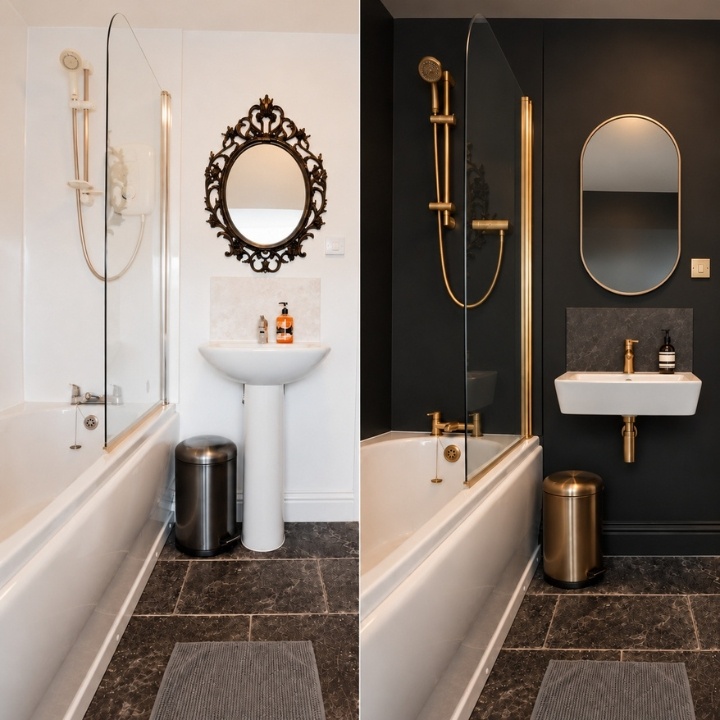
Below, you can see the prompt in action, with a before and after of the results, editing the original image to place a new bathroom mirror.
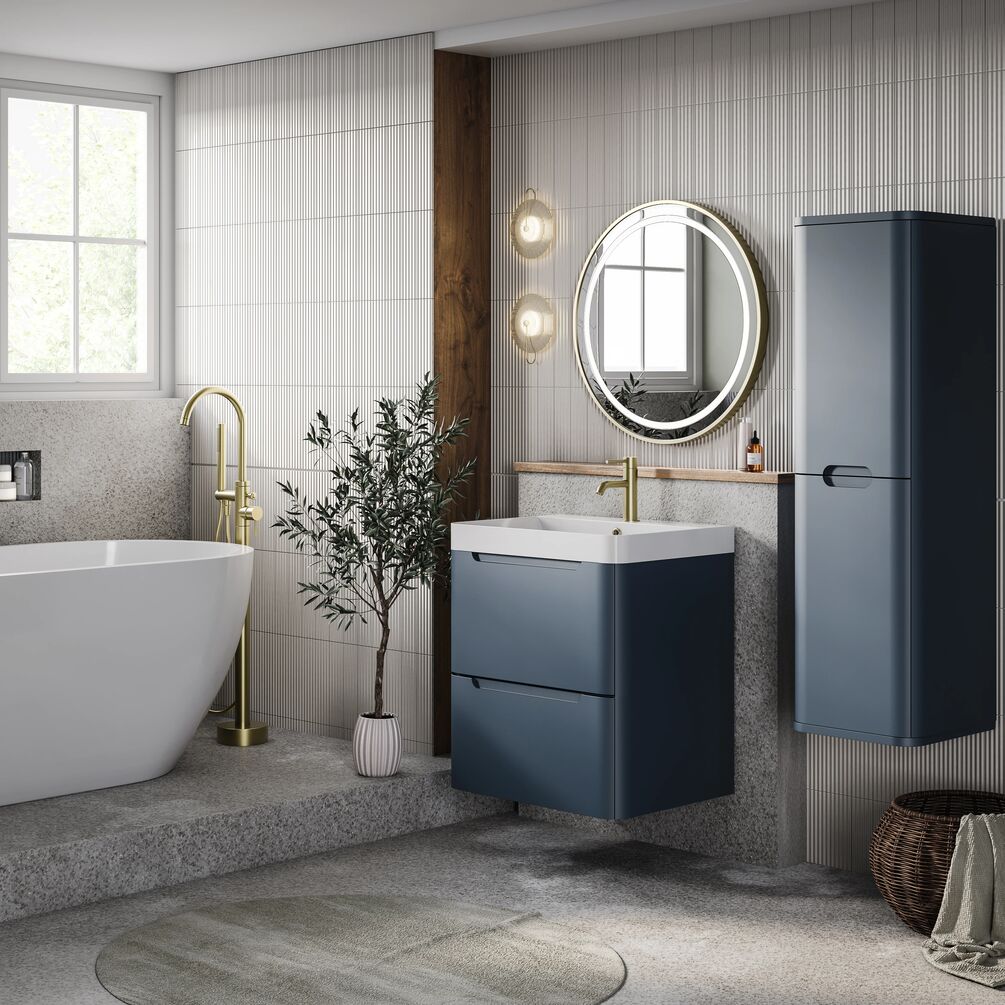
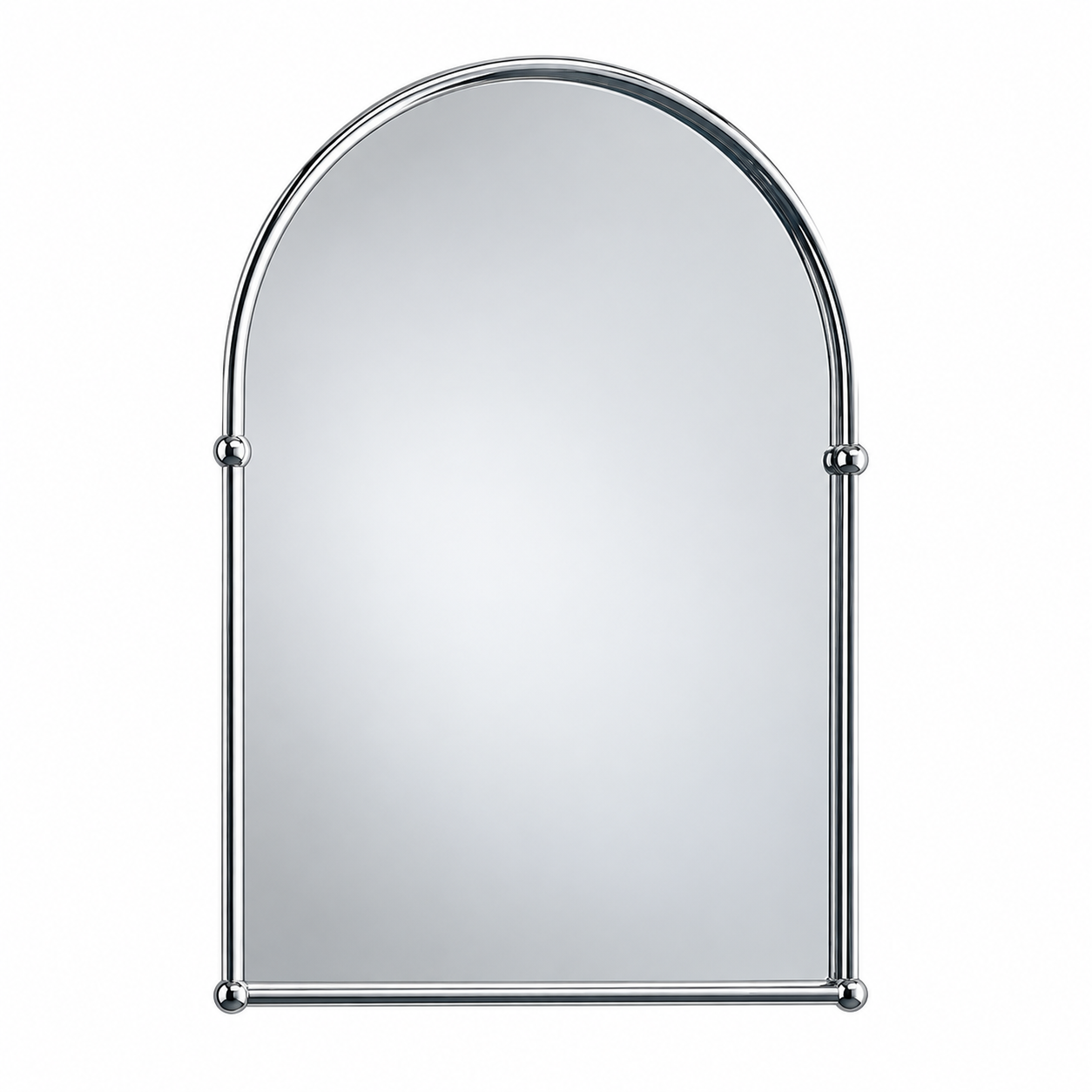
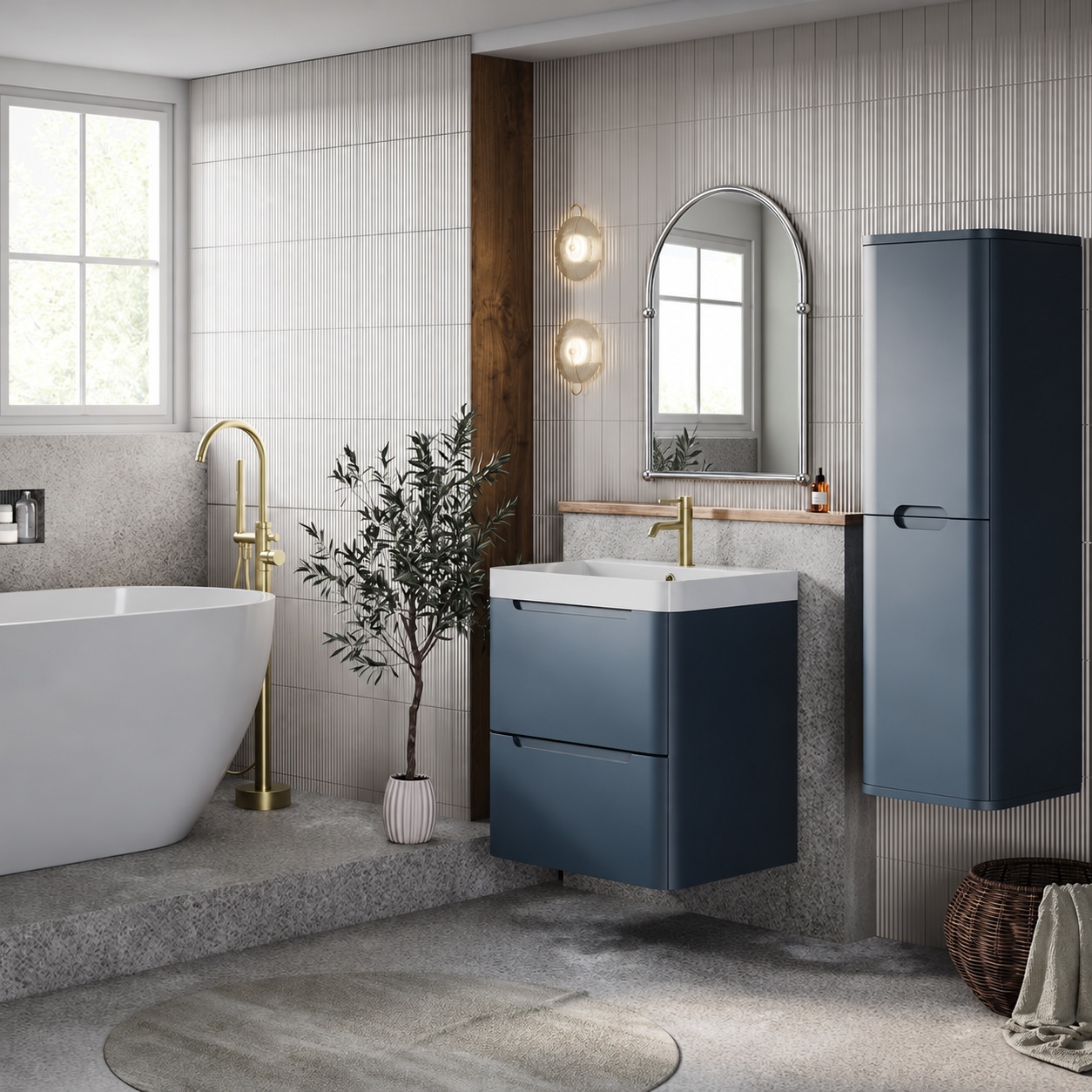
You can do the same with any of the prompts in this guide, even without a photo of your own room. It's a great way to compare a few baths, vanity units, or tap finishes side by side before you visit the showroom.
Bear in mind that AI reinterprets a product rather than copying it exactly, so shapes, finish tones, and proportions can shift slightly. You can attempt to improve results, which we'll cover in the next section, but it's always best to treat the result as a conceptual preview. Once you've checked the exact dimensions on the product’s specifications, our team can help confirm whether or not it will fit your space.
How to Improve Image Results
Your first image is rarely your last, and that’s completely normal. Whether the tap finish is wrong, it's added accessories you never asked for, or it misses the overall feel, refining and updating an image is often half the battle with AI, and it can feel frustrating.
Pin Down What Isn’t Working
Before you type anything, compare the image to what you asked for. Is the layout, scale, finish, or overall style off? Naming the exact problem makes it far easier to fix.
Be as specific with your revision as you were with your original prompt. "Make the tiles nicer" leaves the AI guessing, while "change the wall tiles to matt sage, laid vertically" tells it exactly what to do.
Make One Change at a Time
The best way to improve an image is usually through small, targeted revisions. Start each update by telling the AI what to keep, then what to change. These follow-up prompts are a good example:
- "Keep everything the same but make the wall tiles matt instead of gloss."
- “Keep the layout, finishes, and colours the same, but swap the freestanding bath for a 1200mm walk-in shower.”
For small changes, "keep everything the same" works well. For bigger changes, such as swapping a bath for a shower, name exactly what should stay, so the AI knows what it can adjust and what it can't.
Work step by step, changing one thing at a time. That way, you can see exactly what each change does, and you won't lose the parts of the design you already like.
Know When to Start Again
If the image starts drifting after several revisions, or the AI keeps changing the parts you wanted to keep, it's often quicker to start again. Open a new chat and write a fresh prompt that includes everything you've learnt - the finishes, sizes, and layout that worked - and you'll usually get much closer in far less time than you would by persevering with a chat that's going nowhere.
Starting a new chat doesn't mean losing your earlier work. Your previous chats stay saved in your account, so you can go back to them whenever you need to, including any images where some parts looked right. Even an image that isn't spot on can help show a designer which details matter most to you.
From AI Image to Real Bathroom: How We Can Help
Once you’ve found the right tool and designed a look you love, the next step is talking to a real person. An AI image tells us a great deal about what you love, which makes it the perfect mood board to bring to our team. Here’s the best process to follow to turn that AI dream into reality:
- Save your favourite two or three images: Choose the ones that best suit your style and your bathroom's layout. A few strong images are more useful than dozens of near-misses.
- Identify the products: Browse our website for the baths, basins, taps, and furniture closest to your AI design, and note the ones you like.
- Measure the room: Record the length, width, and ceiling height, and mark where the window, door and soil pipe are. It doesn't need to be a professional drawing; a simple sketch with measurements is plenty.
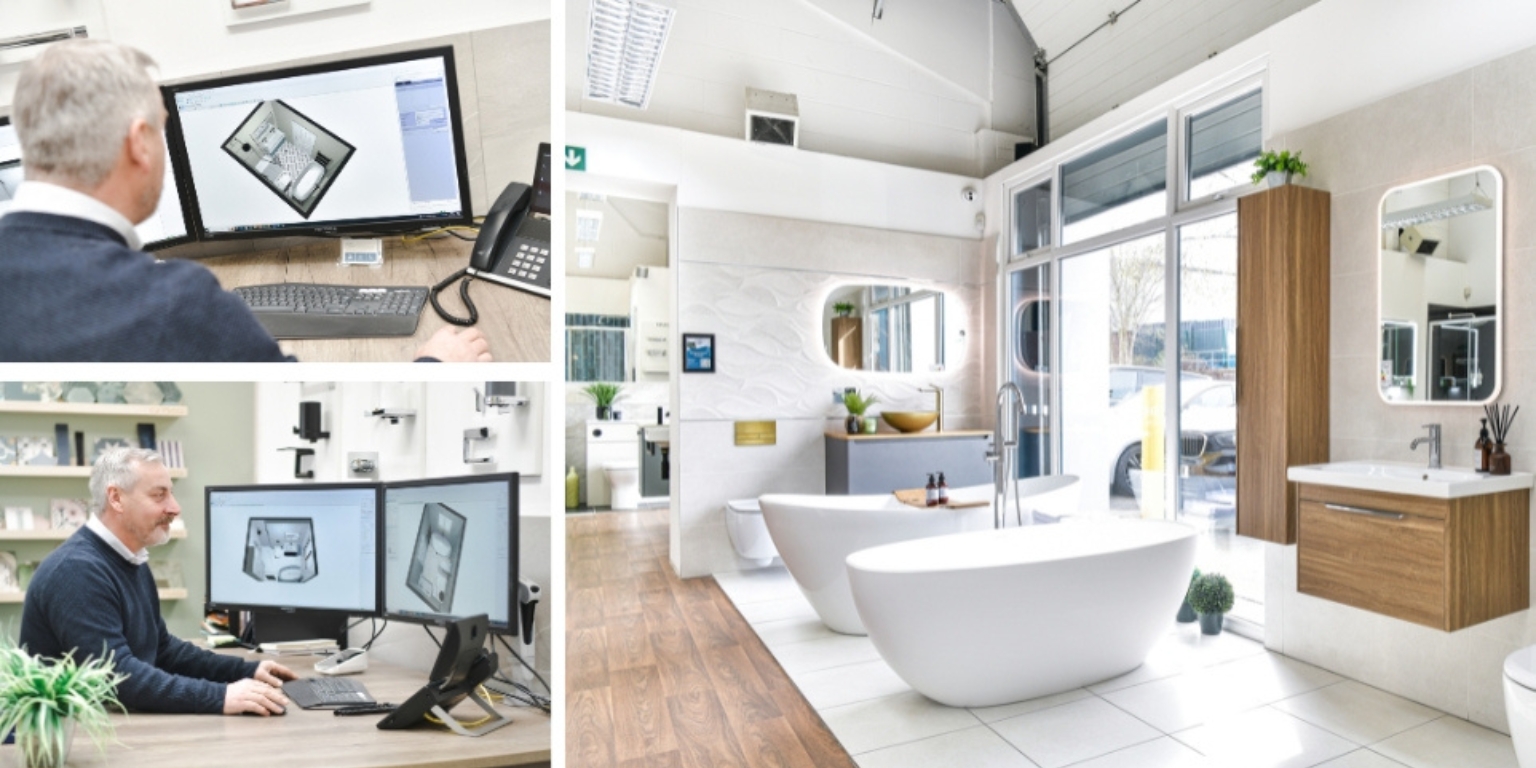
- Talk to our sales team: Share your AI images, measurements and product ideas, and our team will help you find the right products from over 40 leading brands. They can advise on sizes, finishes, and whether a layout will work in your space.
What to Check Before You Start Designing With AI
It's easy to get carried away with AI, but there's little point in creating a dream bathroom you can never achieve. Whether you design your bathroom with AI, a sketchbook, or a showroom visit, the same groundwork applies:
- Find a fitter early: A trusted, experienced bathroom fitter is one of the most valuable people in any renovation. Ask friends and family for recommendations, check reviews, and look at examples of their previous work.
- Talk through your space: Ask your fitter to look at the room and explain what can and can't change. Moving the toilet, relocating the soil pipe, or swapping a bath for a walk-in shower or wet room may be straightforward in one home and impractical in another, depending on your plumbing, floors, and walls.
- Understand the cost implications: Changing the layout usually costs more than changing the look. Moving pipework, fitting a frame for a wall-hung toilet, or strengthening a floor for a heavy freestanding bath can all add to the budget, so ask your fitter which changes carry the biggest costs.
- Set a realistic budget: Once you know what's involved, decide how much you want to spend on installation and how much on products. This keeps your AI designs in line with what you can afford.
With these answers in hand, you can build them straight into your prompts. If your fitter says the toilet needs to stay where it is, tell the AI to keep it there, and every design you create will be one you can actually build.
Bring Your AI Bathroom to Life
Ultimately, AI bathroom design is one of the fastest ways to figure out what you really want. With a clear prompt, a good photo, and a few careful changes, you can explore styles, finishes, and layouts in minutes instead of months.
What AI can't do is make that image work in your room. It doesn't know where your pipes run, how much weight your walls can take, or which products will actually fit. That's where our team comes in. Bring us the bathroom you've imagined, and we'll help you find real products that match it and suit your space.
So, start with the seven-part formula, experiment freely, and save the images that excite you. When you've found a look you love, get in touch.


